Installation
Download and install
Download Pixel Art Studio from the marketplace of your preference:
In Blender, go to
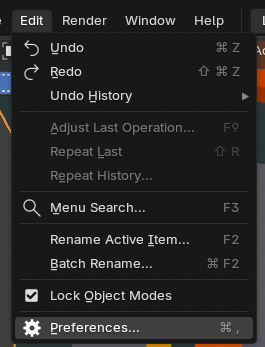
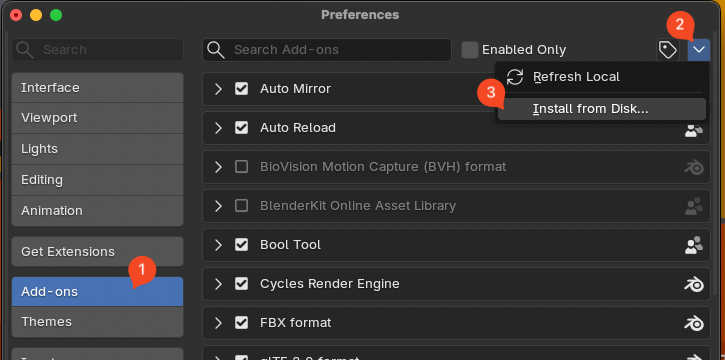
Edit > Preferences > Add-ons, expandAdd-on Settingsat the top right corner and chooseInstall from Disk....Find the zip file you downloaded and choose it.
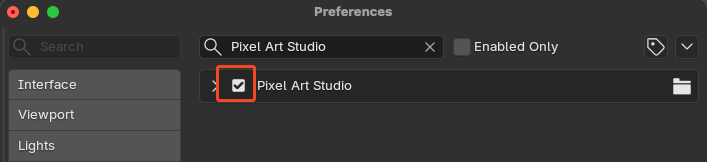
Now, activate the addon by clicking the checkbox next to
Pixel Art Studio.
Note
Pixel Art Studio is compatible with Blender 3.6, Blender 4.0+ through Blender 5.1. But the officially supported version is Blender 5.1.
Open the addon
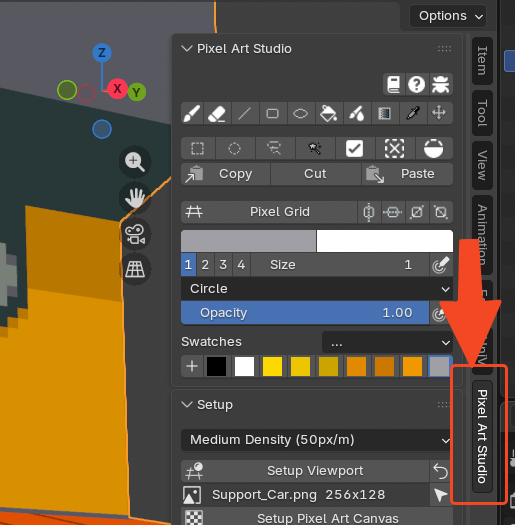
In the 3D Viewport or in the Image Editor, press N and click the Pixel Art Studio button in the toolbar.